
This post contains affiliate links. If you buy through them, we may earn a commission at no extra cost to you.
Short answer: your home internet usually survives a power outage on the provider’s side for hours (cable and fiber networks have their own battery and generator backup), but it dies instantly in your house because the modem, router, and fiber terminal need power. A small UPS or a 300 to 500Wh power station keeps all three running for 8 to 24 hours, because together they draw only 20 to 40 watts. For phones, keep a charged power bank per person, turn on low-power mode, and know that your cell carrier’s towers have 4 to 8 hours of battery before they go dark too.
What Actually Fails When the Power Goes Out
| Service | What Fails in Your House | What Fails on the Provider Side | Typical Survival Without Your Action |
|---|---|---|---|
| Cable internet (Xfinity, Spectrum, Cox) | Modem and router, immediately | Neighborhood amplifiers on battery, 2-8 hours; head end on generator | 0 minutes (your gear is off) |
| Fiber (AT&T Fiber, Verizon Fios, Google Fiber) | ONT and router, immediately | Passive network; central office on generator, often days | 0 minutes |
| DSL | Modem/router | Remote terminals on battery, 4-8 hours | 0 minutes |
| 5G home internet (T-Mobile, Verizon) | Gateway, immediately | Cell tower on battery, 4-8 hours; some on generator | 0 minutes |
| Starlink | Router and dish, immediately (50-75W) | None | 0 minutes |
| Cell phone service | Nothing (phone has a battery) | Tower batteries, 4-8 hours; carriers deploy generators in major outages | Hours, then degraded |
The pattern is clear. In most outages, the internet is still arriving at the side of your house. The only thing between you and a working connection is 20 to 40 watts to power your own equipment. Fiber is the most resilient; cable and DSL are next; cellular-based services depend on the tower’s battery.
Step 1: Put the Network Gear on Battery Power
Find every box between the wall and your Wi-Fi: the modem or ONT, the router, and any mesh satellites or switches. Add up their power draw from the labels on their power bricks (volts × amps = watts). A typical setup:
- Cable modem: 8-15W
- Fiber ONT: 5-12W
- Wi-Fi router: 8-20W
- Mesh node (each): 5-10W
- Small network switch: 3-8W
Most homes total 20 to 40 watts. Two ways to power that:
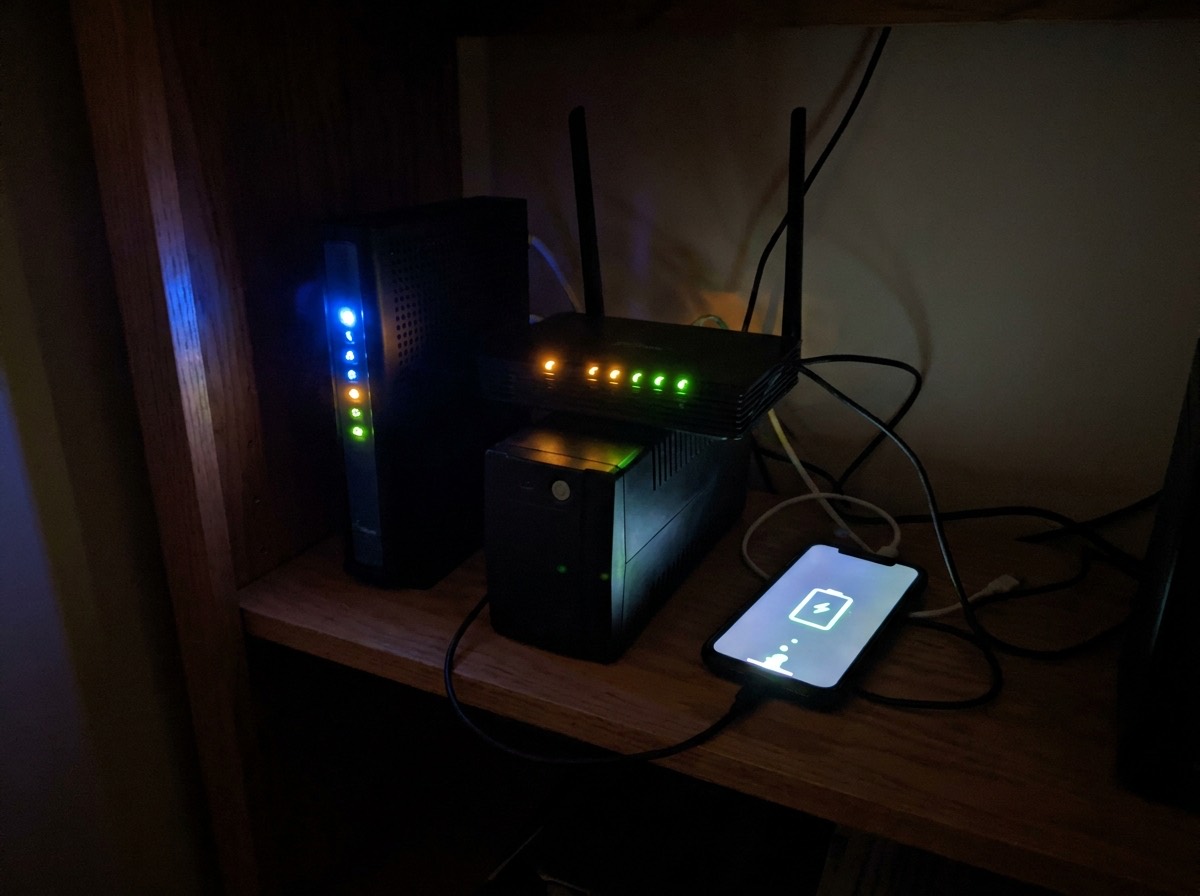
A small UPS (uninterruptible power supply). A 600 to 900VA unit costs less than a nice dinner and runs a 30-watt network load for one to three hours. The advantage is zero switchover; the router never blinks. The limit is runtime. If you are running the network only, look for a UPS with a large battery relative to its VA rating, or a lithium model. A 1,500VA unit stretches the same load to three to five hours.
Check the current price of UPS battery backups for a modem and router on Amazon
A small portable power station with UPS or EPS mode. A 300 to 500Wh unit runs the same 30-watt load for 8 to 14 hours, and a 1kWh unit for more than a day. Leave it plugged into the wall in pass-through mode with the network gear plugged into it. When the grid drops, it switches over in 10 to 30 milliseconds, which is fine for routers and modems (they have capacitors that ride through that). It also charges phones and runs a lamp. Our comparison of UPS vs portable power station for a home office goes into switchover times and when you need both.
Check the current price of 500Wh portable power stations with UPS mode on Amazon
A trick worth knowing: many routers and ONTs accept 12-volt DC. A small “mini DC UPS” that plugs between the power brick and the device costs $30 to $60, holds a lithium cell, and runs a router for 4 to 8 hours with no inverter losses. Check the voltage and plug size before buying.
Step 2: Keep the Phones Alive
- One power bank per person, 10,000mAh or larger, kept charged. A 10,000mAh bank refills a phone two to three times. A 20,000mAh bank, four to six. Charge them the day a storm is forecast.
- Low-power mode and screen brightness down. Doubles the time between charges.
- Wi-Fi calling on. If your home internet is running on battery and the cell tower goes dark, your phone can still call and text over Wi-Fi.
- Turn off cellular data when the signal is weak. A phone hunting for a tower drains its battery in hours. Switch to airplane mode and check messages periodically.
- Text instead of call. Texts get through on a congested or degraded network when calls fail.
- A car charger. Your vehicle is a 500Wh-plus battery with a 12V outlet. Ten minutes of idling recharges a phone substantially. Do it outdoors, never in a garage.
Check the current price of 20,000mAh USB-C power banks on Amazon
Step 3: Have a Backup Path to the Internet
If the outage is regional and the cable network’s neighborhood amplifiers run out of battery after a few hours, your equipment being on will not help. Options:
- Phone hotspot. The simplest fallback. Works as long as a tower with battery or generator is in range. Keep the laptop on the power station.
- A second provider on a different technology. A cheap 5G home internet plan or a prepaid hotspot on a different carrier than your phone gives you a second path. Fiber plus cellular is a strong combination because they fail for different reasons.
- Starlink. Fully independent of local infrastructure, but the dish and router draw 50 to 75 watts, so a 1kWh power station runs it for about 12 hours. Worth it in rural areas with long outages.
Step 4: Power the Laptop, Not Just the Router
A working connection is useless if the laptop is dead. A laptop draws 30 to 65 watts while working. A 500Wh power station covers a laptop plus the network for a full workday; a 1kWh unit covers two days. If you work from home, that unit is part of your job’s equipment. Our guide to the best portable power stations for home backup lists options by size, and if you would like the same battery to also keep the refrigerator cold overnight, look at the 1 to 2kWh class.
A Complete Setup, Priced
| Item | Approximate Cost | What It Buys |
|---|---|---|
| Small UPS on modem/router/ONT | $60-$120 | Internet through every short outage, no reboot |
| 500Wh power station with UPS mode | $250-$400 | Network + laptop for a full workday, phones charged |
| Two 20,000mAh power banks | $50-$80 | Phones for 2-3 days |
| Prepaid 5G hotspot on a second carrier | $50 + $15-$30/month | Internet when the cable network’s batteries die |
| Total | $400-$650 | Connected through nearly any outage under 24 hours |
Before the Storm: 10-Minute Checklist
- Charge the power station to 100 percent and every power bank.
- Confirm the UPS battery is healthy (most have a self-test button).
- Download maps, key documents, and a few hours of entertainment for kids while the connection is fast.
- Write down important phone numbers on paper in case the phone dies.
- Enable Wi-Fi calling on every phone.
- Print or save your provider’s outage number and your account number.
For everything else that needs to happen before the lights go out, see our power outage checklist, and if you live where outages run long, preparing for extended power outages.
Frequently Asked Questions
Does Wi-Fi work during a power outage?
Not unless your modem and router have backup power. The internet signal usually keeps arriving at your house for hours, but your equipment is off. A small UPS or power station fixes that.
How long does cable internet stay up in a power outage?
The neighborhood equipment typically runs 2 to 8 hours on battery, longer where the provider deploys generators. Fiber networks often last days because the outside plant is passive.
Will my cell phone work if the power is out?
Yes, as long as a tower in range has battery or generator power, which is usually 4 to 8 hours minimum. Service may be slow or limited to texts during a large outage.
What size UPS do I need for a router and modem?
A 600 to 900VA unit runs a 30-watt network load for one to three hours. For all-day coverage, use a 300 to 500Wh power station instead.
Can a power station run Starlink?
Yes. Starlink draws 50 to 75 watts, so a 1kWh power station runs it for roughly 12 hours, and a 2kWh unit for a full day.