
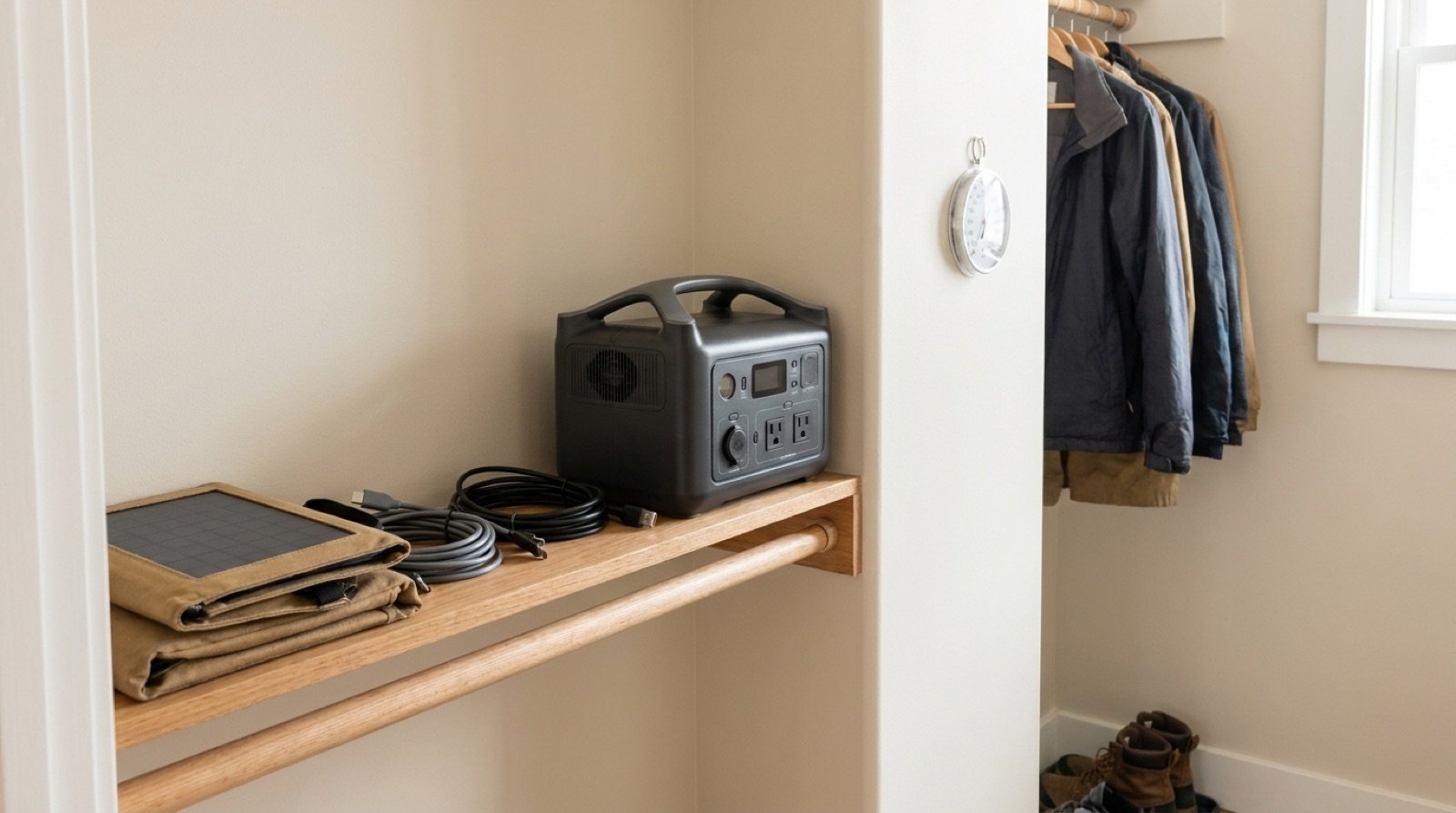
Short answer: Store a portable power station at about 50 to 60 percent charge, indoors, somewhere between 50°F and 77°F, with every output, the display and the Wi-Fi or Bluetooth connection turned off. Check it every 3 months and top it back up to that range if it has dropped below about 40 percent. The two things that ruin batteries in storage are sitting at 100 percent in heat and sitting near 0 percent for months.
Why Storage Habits Matter So Much
Most portable power stations spend far more time waiting than working. A unit bought for outages might run 20 or 30 hours a year and sit idle for the other 8,700. That idle time is not neutral. Lithium batteries age even when nobody uses them, a process called calendar aging, and how fast it happens depends almost entirely on two things you control: the charge level and the temperature.
Cycling wears a battery too, and that side of the story is covered in our guide to how long portable power stations last by battery chemistry. This article is about the other half: what happens on the shelf, and how to make sure the unit you bought is still at full strength when the next storm arrives.
The Ideal Storage Charge Level
Battery makers and power station manuals converge on the same advice: store lithium batteries partially charged, not full and not empty. Here is why both extremes hurt.
Why not 100 percent
A fully charged lithium cell sits at its highest voltage. High voltage speeds up the chemical side reactions that slowly consume the battery’s usable material. Combine full charge with heat and the aging accelerates noticeably. A unit stored full in a hot space for a summer can lose capacity it will never get back.
Why not 0 percent
Every battery loses a little charge on its own, and a power station also has electronics (the battery management system, or BMS) that sip a tiny amount of power even when the unit looks off. Start storage near empty and that slow drain can pull the cells below their safe minimum voltage. At that point the BMS may lock the unit out to protect it, and cells left deeply discharged for a long time can be permanently damaged.
Chemistry makes a difference
Most newer power stations use LFP (lithium iron phosphate) cells, which tolerate high charge and heat better than the NMC (nickel manganese cobalt) cells found in many older and lighter units. LFP is more forgiving, but the same rules still help it last longer. Your manual or the spec sheet will tell you which chemistry you have.
| Battery type | Best storage charge | Check interval | Notes |
|---|---|---|---|
| LFP (lithium iron phosphate) | 50 to 80 percent | Every 3 to 6 months | Most tolerant of the lithium types; heat still shortens life |
| NMC (lithium ion) | 40 to 60 percent | Every 3 months | More sensitive to full charge and heat; avoid storing full |
| Sealed lead acid or AGM (older or budget units) | 100 percent | Every 1 to 2 months | Opposite rule: lead acid is damaged by sitting partially charged |
That last row matters. If you own an older or budget unit with a lead acid battery, store it full and top it up often. The partial charge advice applies to lithium only.
Many current power stations let you set a maximum charge limit in the app or on the screen. If yours does, set it to 60 to 80 percent for the off season and the unit will stop charging there on its own.
Temperature: The Biggest Variable
Heat is the main enemy of a stored battery. Many manuals list a wide allowable storage range, often somewhere around 14°F to 113°F, but that is the range the unit survives, not the range where it ages slowly. For long term storage, aim for normal room temperature: roughly 50°F to 77°F.
Cold storage is less harmful than hot storage, but cold creates a different risk: charging. Lithium batteries should not be charged below 32°F, because charging frozen cells can cause permanent internal damage. Many units block charging in the cold, but do not count on it. If a power station has been sitting in a cold space, bring it indoors and let it warm up for several hours before you plug it in.
| Storage spot | Typical conditions | Verdict |
|---|---|---|
| Interior closet or spare room | Stable, 60°F to 75°F, dry | Best choice |
| Finished, conditioned basement | Cool and stable, sometimes humid | Good if dry; keep it off a damp floor |
| Attached garage | Hot summers, freezing winters in many states | Only if it stays in range year round |
| Attic | Can easily exceed 120°F in summer | Avoid |
| Car trunk or truck bed box | Extreme heat in sun, extreme cold in winter | Avoid for long term storage |
| Shed or detached outbuilding | Unconditioned, humid, wide swings | Avoid |
Humidity matters too. Moisture can corrode ports and connectors, and moving a cold unit into a warm humid room can cause condensation inside. A dry interior space solves both problems. The old advice about never storing batteries on concrete comes from early lead acid batteries and does not apply to a modern power station in a sealed case, though keeping it off a damp floor is still sensible.
Turn Everything Off: The Standby Drain Math
This is where many owners lose a full battery without noticing. A power station that looks idle may still be running its AC inverter, its screen or its wireless connection. Those loads are small per hour and large per month.
Here is the arithmetic for a typical 1,000 Wh unit:
- Fully off, only natural self-discharge: roughly 1 to 3 percent per month is a reasonable expectation. Over 3 months at 2 percent per month, that is 6 percent, or 60 Wh. Start at 60 percent and you end near 54 percent. No problem.
- AC inverter left on with nothing plugged in: idle draw on many mid-size units is in the range of 10 to 25 watts. At 20 watts: 20 W x 24 hours = 480 Wh per day. A full 1,000 Wh battery would be empty in about 2 days.
- Wi-Fi or Bluetooth left active: often just a few watts, but it adds up. At 3 watts: 3 W x 24 hours x 30 days = 2,160 Wh per month, more than twice the capacity of the whole unit.
The lesson: before storage, switch off the AC output, DC and USB outputs, the screen and the wireless connection, then press the main power button so the unit is fully off. If your model has a deep sleep or shipping mode, use it.
The Top-Up Schedule
Set a calendar reminder. A simple schedule tied to the seasons is easier to remember than counting days. The example below fits a household that keeps a power station mainly for storms.
| When | What to do | Target charge |
|---|---|---|
| Start of storage | Charge or discharge to target, turn all outputs and wireless off | 50 to 60 percent |
| Every 3 months | Check the charge; top up if below 40 percent | Back to 50 to 60 percent |
| Once or twice a year | Full exercise: run a load down to about 20 percent, then recharge | Back to storage level |
| Before storm season or a forecast event | Charge fully and test every outlet you plan to use | 100 percent |
| After the season or the outage | Inspect, clean ports, return to storage level | 50 to 60 percent |
The occasional full exercise keeps the battery management system’s percentage reading accurate. After months of sitting, the display can drift, and a unit showing 50 percent might really hold a bit more or less. One controlled discharge and recharge recalibrates it.
Switching From Storage Mode to Ready Mode
Storing at partial charge only works if you can fill the battery before you need it. That is easy when the threat is a hurricane or a forecast ice storm, since you usually get days of warning. It is harder for sudden summer thunderstorms.
Do the math for your unit. A 1,000 Wh station stored at 55 percent holds 550 Wh. Topping it to 100 percent adds 450 Wh. If your unit charges from the wall at 500 watts, that is 450 Wh / 500 W = 0.9 hours, and closer to 1.5 hours in practice because charging slows near the top. Units with slower chargers can take 4 to 8 hours, so know your number before the day it matters.
If you live where outages arrive with little or no warning, a reasonable compromise is to keep an LFP unit at about 80 percent during the riskiest months and drop it back to 50 to 60 percent the rest of the year. For a full seasonal plan, see our hurricane season power outage prep guide.
What Kills Power Stations in Storage
- Heat plus full charge. The fastest path to permanent capacity loss. A summer in a hot garage at 100 percent is the classic mistake.
- Deep discharge left uncorrected. Putting a unit away nearly empty, or letting a phantom load drain it, then leaving it for months.
- Charging when frozen. Plugging in a unit straight from a below freezing garage or vehicle.
- Phantom loads. An inverter, screen or wireless connection left on, quietly emptying the battery.
- Moisture. Damp sheds, flooded basements and condensation corrode ports and electronics.
- Physical damage. Heavy items stacked on top, drops, or crushed cables. A damaged lithium battery is a fire risk, not just a performance problem.
- Being forgotten. Most storage failures are simply a year or two with no check at all.
Before You Put It Away: Checklist
- Confirm the battery chemistry so you use the right storage charge.
- Bring the charge to 50 to 60 percent (or full for lead acid). Set a charge limit in the app if available.
- Unplug all devices, chargers and solar cables.
- Turn off AC, DC and USB outputs, the display and Wi-Fi or Bluetooth.
- Power the unit fully off, or use its sleep or storage mode.
- Wipe off dust and check ports for dirt or corrosion.
- Store indoors, in a dry spot between 50°F and 77°F, on a shelf with nothing heavy on top.
- Keep the wall charger, cables and manual together with the unit.
- Fold solar panels flat in their case and store them dry.
- Put a reminder on your calendar for 3 months out.
Bringing It Out of Storage
Before charging, look the unit over. Check for a bulging or warped case, a sweet or chemical smell, cracks, or scorch marks around ports. If you see any of these, do not charge or use it. Contact the manufacturer and follow local rules for lithium battery disposal. Our portable power station safety guide covers the warning signs and fire risks in more detail.
If it looks normal, charge it with the original charger on a hard, nonflammable surface while someone is home. Then run a simple test load. A 60 watt lamp for one hour uses 60 W x 1 hour = 60 Wh. On a 1,000 Wh unit, the display should drop roughly 7 to 8 percent once inverter losses are included. A much larger drop suggests lost capacity or a percentage reading that needs a full exercise cycle to recalibrate.
If the unit will not turn on at all, it may be in a low voltage lockout. Many models wake up after being connected to the wall charger for a while. Check the manual for the specific steps, and never open the case to work on the cells yourself.
Bottom line: Store at 50 to 60 percent, keep it at room temperature, turn every output and wireless connection off, and check it every 3 months. Charge it fully only when an outage is likely. Those few habits can add years to a battery. If you are still deciding which unit to buy, our guide to the best portable power stations for home backup sizes the options by outage length.
Frequently Asked Questions
Can I leave my power station plugged in all the time?
Many units allow it, and some offer a pass-through or UPS style mode built for exactly that. The trade-off is that the battery sits at 100 percent constantly, which ages it faster, especially with NMC cells. If you keep it plugged in, set a charge limit around 80 percent if your model supports it, and keep the unit in a cool room.
How long can a power station sit without being charged?
Fully off and stored at 50 to 60 percent, most lithium units lose only a few percent over 3 months, so they can usually sit 3 to 6 months safely. Check every 3 months anyway, because a forgotten output or a warm closet can speed up the drain. Never let one sit a year or more without a check.
Is it OK to store a power station in the garage?
Only if the garage stays roughly between 50°F and 77°F most of the year, which is rare in much of the US. Southern garages get very hot in summer and northern garages drop below freezing in winter. An interior closet is a safer default, and if the unit was cold, let it warm up before charging.
Will storing at 50 percent leave me short in a surprise outage?
It depends on the load, but it is usually enough to bridge the first hours. A 1,000 Wh unit at 50 percent holds 500 Wh; after about 15 percent inverter loss that is roughly 425 Wh, or about 4 hours for a refrigerator averaging 100 watts. Use our power station runtime chart to see what your stored charge covers for your own devices.