
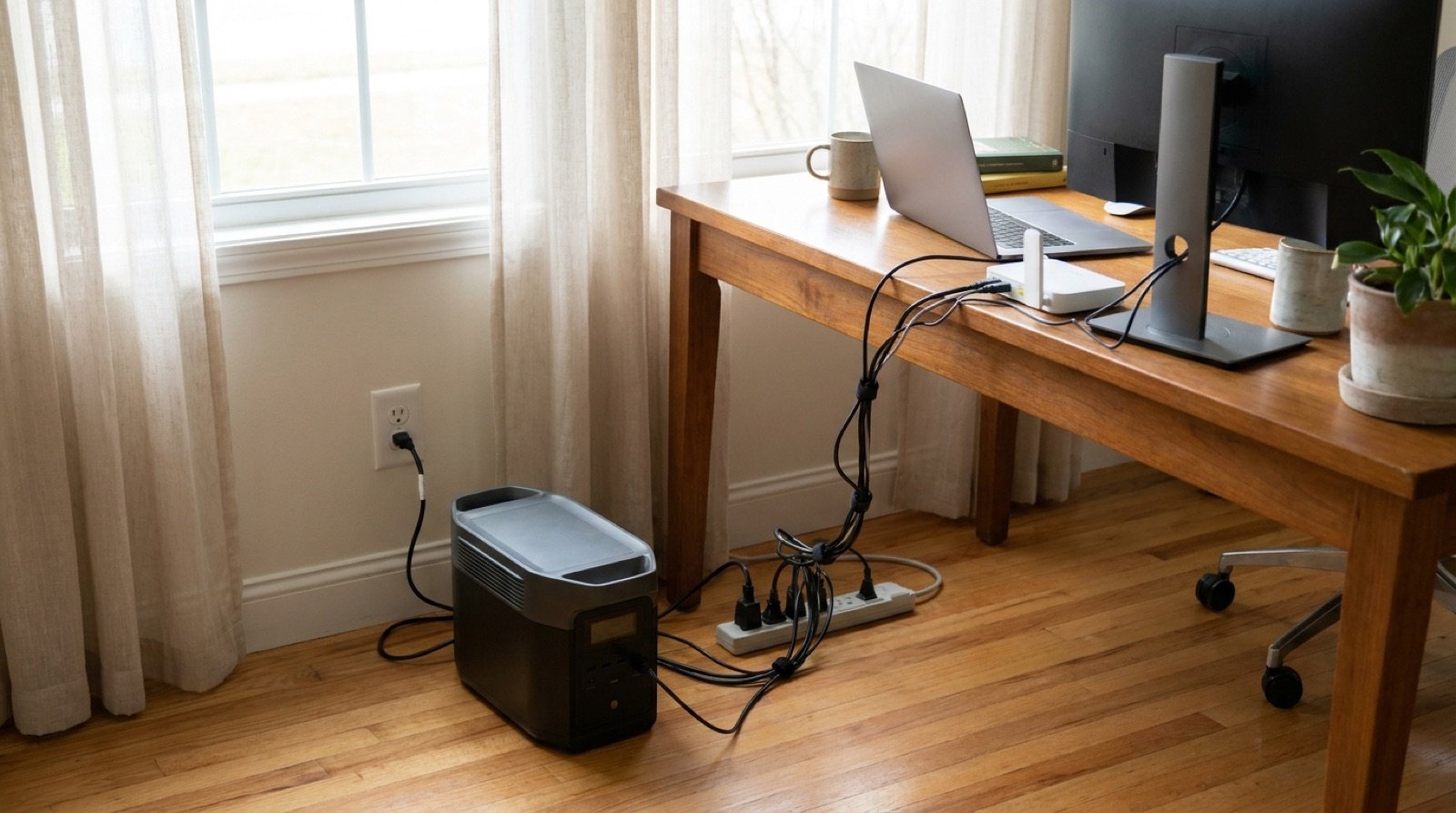
Short answer: Pass-through charging means a power station runs your devices from wall power while it recharges its own battery, then switches to the battery when the grid drops. Most brands list a switchover of about 10 to 30 milliseconds. Laptops, phones, lamps, fridges and most routers ride through that gap without trouble, but desktop PCs and network storage may reboot. A 1,000 Wh station running a 110 W home office lasts about 7 to 8 hours (1,000 Wh x 0.85 usable / 110 W = 7.7 hours).
What Pass-Through Charging Actually Is
Plug a power station into the wall, then plug your devices into the station. If the station supports pass-through charging, your devices get power and the battery charges at the same time. When the outlet goes dead, the station keeps the devices running from its battery. That is the basic job of an uninterruptible power supply (UPS), which is why many brands now advertise a UPS or EPS mode.
Under the hood, power stations do this in one of two ways. The difference decides how fast the handoff is and how hard the battery works.
Bypass (relay) design
This is the most common approach. While the grid is up, an internal relay connects wall power straight to the AC outlets. The inverter sits idle and the charger tops up the battery in parallel. When the station senses that grid voltage is gone, the relay flips and the inverter starts feeding the outlets from the battery. That physical flip is the switchover time.
Bypass is efficient because your devices run on grid power with almost no conversion loss. The downside is the small gap during the switch, and the fact that your devices get whatever the grid delivers, including sags and noise.
Inverter always on
Some units keep the inverter running at all times. Wall power charges the battery or feeds the inverter through the charger, and the inverter always powers the outlets. When the grid drops, nothing switches at the outlet side, so the gap can be close to zero. This works like an online UPS. The tradeoff is constant conversion loss, more heat, more fan noise, and in some designs a battery that cycles slightly all day.
The manual or spec sheet usually tells you which design you have. Phrases like “UPS switchover under 30 ms” or “10 ms” point to a bypass design. “0 ms” or “online” points to an always-on inverter.
Switchover Time: What the Milliseconds Mean
One full cycle of US household power at 60 Hz lasts about 16.7 milliseconds. A 10 ms switchover is less than one cycle. A 30 ms switchover is almost two cycles. Whether your device notices depends on how much energy it stores in its own power supply to coast through a short gap.
| Backup type | Typical advertised transfer time | How it compares |
|---|---|---|
| Online UPS or always-on inverter station | 0 ms (no transfer) | No gap at the outlet |
| Line-interactive UPS | About 2 to 10 ms | Short enough for nearly all electronics |
| Standby (basic) UPS | About 5 to 12 ms | Fine for most desktop PCs |
| Power station with fast UPS mode | About 10 to 20 ms | Usually fine, borderline for some PCs |
| Power station with standard pass-through | About 20 to 30 ms or unspecified | Safe for battery and motor loads, risky for desktops |
Treat these as published claims, not guarantees. Real switchover depends on how the outage happens. A clean cut is detected fast. A slow brownout, where voltage sags before failing, can take longer to detect. If a brand does not publish a switchover time at all, assume the station is not designed to act as a UPS and test it before trusting it.
Which Devices Tolerate the Gap
The rule of thumb is simple. Anything with its own battery, a motor, or a heating element does not care about a 30 ms gap. Anything that depends on continuous power to keep a computer running might.
| Device | Tolerates 10 to 30 ms gap? | Why |
|---|---|---|
| Laptop, phone, tablet | Yes | Internal battery covers any gap |
| Refrigerator, freezer, chest freezer | Yes | Compressor may restart, food is unaffected |
| Lamps, LED bulbs, fans | Yes | A flicker at most |
| Modem and Wi-Fi router | Usually | Most adapters ride through, some cheap ones reboot (2 to 5 minutes offline) |
| Monitors and TVs | Usually | May blink or turn off and need a button press |
| CPAP | Usually | Some models restart or show an error; test before relying on it |
| Desktop PC, gaming PC | Sometimes | Heavily loaded power supplies have less hold-up time |
| NAS, home server | Sometimes | A reboot mid-write can corrupt data |
| Aquarium pumps and heaters | Yes | Restart on their own |
| Life-sustaining medical equipment | Do not rely on it | Use equipment and backups approved by the provider |
Desktop computers deserve a closer look. Their power supplies store energy in capacitors, and that energy carries them through short gaps. A PC drawing 100 W at idle has far more coast time than the same PC drawing 500 W during a game. So a station that works fine while you browse may drop your PC under load. If you run medical equipment, read our guide to backup power options for CPAP, oxygen and insulin before counting on pass-through mode.
How Much Load You Can Run on Pass-Through
There are two separate limits, and people often mix them up.
The first is the wall circuit. A standard 15 amp, 120 volt circuit supplies 15 A x 120 V = 1,800 W, and a safe continuous load is about 80 percent of that, or 1,440 W. In pass-through, that circuit carries your devices plus the station’s charging power. A 500 W load plus 1,000 W of fast charging is 1,500 W, which can trip the breaker. Set the station to a slow or custom charge rate, such as 300 to 400 W, when it lives on the wall as a UPS.
The second limit is the inverter. Many bypass units will pass more power from the grid than the inverter can supply on battery. If your load is 1,600 W while the grid is up but the inverter is rated at 1,200 W, the station will overload and shut off the moment the outage hits. Size your connected load to the inverter’s continuous rating, not to what the wall can pass through.
How Long It Runs Once the Grid Drops
Runtime is battery capacity, times usable fraction, divided by load. After inverter losses, plan on about 85 percent of the rated Wh being usable on AC output. The table uses a 1,000 Wh station, so usable energy is 1,000 Wh x 0.85 = 850 Wh.
| Load | Typical watts | Math | Approximate runtime |
|---|---|---|---|
| Modem and router | 20 W | 850 Wh / 20 W | 42 hours |
| CPAP, no humidifier | 40 W | 850 Wh / 40 W | 21 hours |
| Refrigerator (average cycling draw) | 60 W | 850 Wh / 60 W | 14 hours |
| Home office: laptop 60 W, monitor 30 W, router 20 W | 110 W | 850 Wh / 110 W | 7.7 hours |
| Desktop PC, monitor and router | 250 W | 850 Wh / 250 W | 3.4 hours |
For a smaller 500 Wh unit, cut each figure roughly in half. For a 2,000 Wh unit, roughly double it. If keeping the household online is the main goal, our guide on keeping internet, Wi-Fi and phone working during an outage covers DC options that stretch runtime further.
Battery Wear: Does Living on the Charger Hurt It?
Using a power station as a UPS means the battery spends weeks or months sitting full. That matters more than the occasional outage cycle.
Lithium batteries age fastest when they sit at high charge and high temperature at the same time. Lithium iron phosphate (LFP) cells, used in most newer stations, handle this much better than older NMC cells. An LFP pack is typically rated for 3,000 or more cycles to 80 percent capacity, and a UPS role adds very few cycles. Calendar aging, the slow loss from time and heat, becomes the main factor.
A few habits cut wear noticeably:
- Set a charge limit. Many apps let you cap charging at 80 or 90 percent. On a 1,000 Wh unit, a 90 percent cap gives up about 100 Wh of reserve, or roughly 55 minutes of a 110 W office load (100 Wh x 0.85 / 110 W = 0.8 hours).
- Keep it cool. Put the station on a hard floor with open space around the vents, away from a sunny window, heater or closed cabinet.
- Use slow charging. A low charge rate produces less heat and reduces strain on the wall circuit.
- Check for constant cycling. If the battery percentage drifts down and back up all day in UPS mode, the station is cycling the battery. That design wears faster, so a charge cap matters even more.
- Exercise it a few times a year. Unplug it, run a real load for an hour, then let it recharge. This confirms the battery and the switchover still work.
For a fuller look at chemistry and expected service life, see how long portable power stations last. Storage and heat precautions also apply when the unit sits on charge around the clock.
Idle Draw and the Hidden Electricity Cost
A bypass station on the wall draws little, mostly for its own electronics and to keep the battery topped up. An always-on inverter design is different, because the inverter burns power around the clock. A typical idle loss of 20 W adds up: 20 W x 24 hours = 480 Wh per day, and 480 Wh x 365 = about 175 kWh per year. At an assumed 16 cents per kWh, that is roughly $28 a year just to stay ready. It is not a reason to avoid always-on designs, but it is worth knowing, along with the steady fan noise some units make.
How to Set Up and Test a Power Station as a UPS
- Confirm the feature. Check that the manual supports continuous pass-through or UPS mode and lists a switchover time. Some stations allow charging while discharging but are not designed to stay plugged in for months.
- Plug the station directly into a wall outlet. Avoid long or thin extension cords and do not plug it into another UPS or a surge strip daisy chain.
- Turn on AC output and enable UPS mode in the app or menu, if your model requires it.
- Set a slow charge rate and a charge cap of 80 to 90 percent if available.
- Add up your connected load and keep it under the inverter’s continuous rating with some margin, around 80 percent.
- Save your work and test. Pull the station’s wall plug while everything runs. Watch for reboots, blinking screens or error codes. Repeat with your PC under heavy load.
- Plug it back in and confirm the station resumes pass-through and charging on its own.
Keep this a plug-in setup. Never connect a power station to your home wiring by backfeeding through an outlet or a dryer receptacle. If you want a station to power household circuits, a licensed electrician must install a proper transfer switch or interlock designed for it.
When a Real UPS Makes More Sense
A power station is a great UPS for long runtime and mixed loads. It is a weaker fit when switchover time matters more than hours of backup. If you run a gaming desktop, a NAS, or work that cannot survive a reboot, a line-interactive or online UPS is the safer front line. Many people pair the two: the UPS covers the first seconds and the station supplies hours. Our comparison of a UPS vs a portable power station for a home office walks through that choice. If you are shopping, the best portable power stations for home backup guide notes which categories handle continuous wall use well.
Bottom line: Pass-through charging turns a power station into a long-runtime UPS for most home loads. Check the published switchover time, keep your load under the inverter rating, set a slow charge rate and an 80 to 90 percent cap, and test it by pulling the plug before you depend on it. For computers that must never blink, add a true UPS in front.
Frequently Asked Questions
Is it safe to leave a power station plugged in all the time?
It is generally safe if the manual supports continuous pass-through or UPS use. Keep it in a cool, ventilated spot on a hard surface and set a charge cap if the app offers one. If the manual says not to leave it charging indefinitely, follow that guidance.
Will pass-through charging protect my computer from a power outage?
It will keep a laptop running with no issue because the laptop has its own battery. A desktop may or may not survive a 20 to 30 ms switchover, especially under heavy load. Test by pulling the station’s wall plug while the PC is busy, and use a true UPS if it reboots.
Does pass-through mode filter surges and bad power?
In a bypass design, your devices receive grid power directly while the grid is up, so sags and noise pass through, and surge protection varies by model. Always-on inverter designs deliver regenerated power and isolate devices better. Check the spec sheet rather than assuming protection.
How much does UPS use shorten the battery’s life?
The outage cycles themselves add little wear. The bigger factor is sitting at full charge in a warm spot for months. An LFP battery with a charge cap of 80 to 90 percent, kept at room temperature, typically ages slowly in this role.